IPTV vs streaming apps: two different products
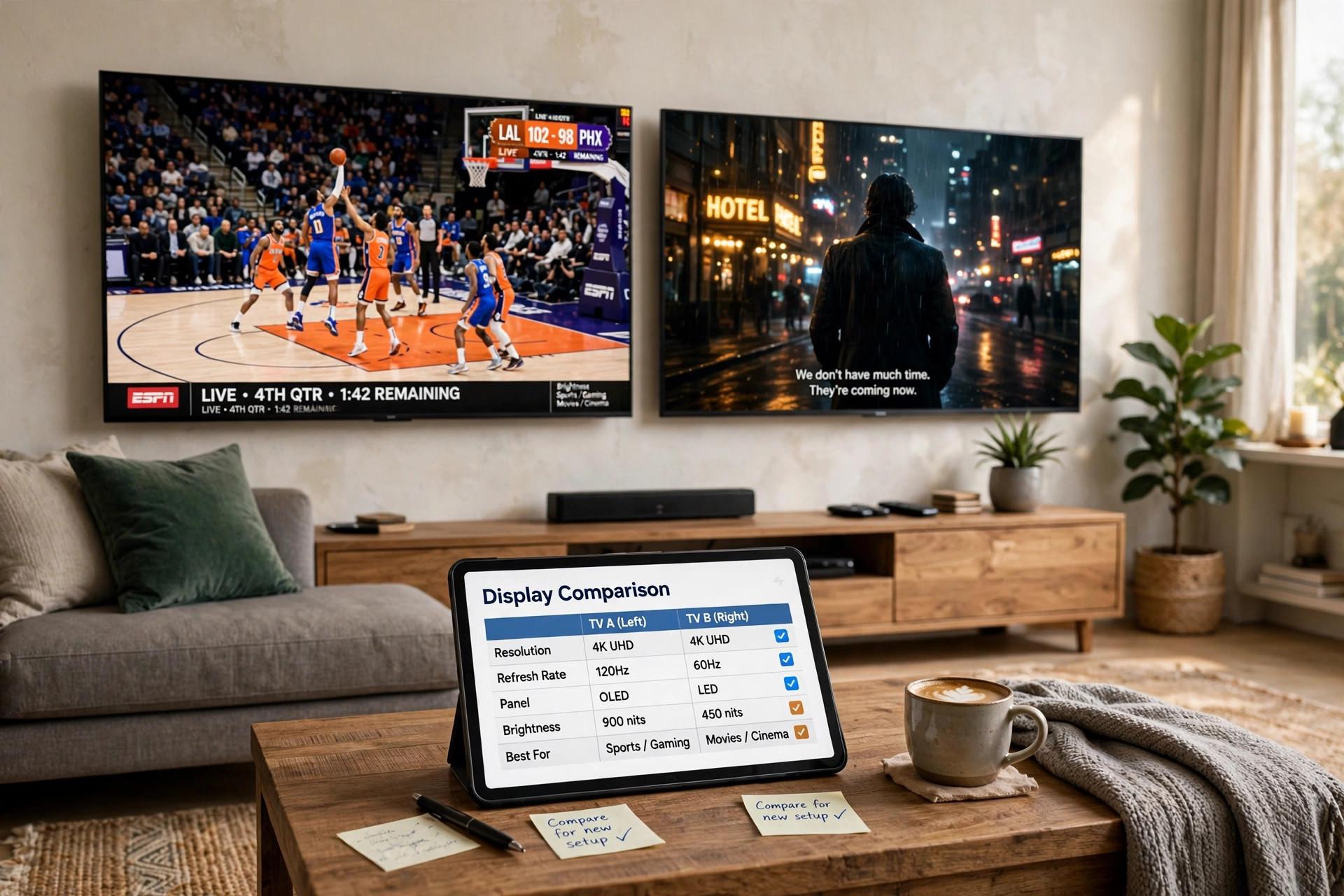
The confusion starts with the word streaming. Netflix, Disney+ and Max are on-demand libraries: you pick a show and watch it, but there is no live channel, no 6 p.m. news and no game starting at 8 p.m. YouTube TV, Hulu + Live TV and Sling are live TV streamers: they carry the channels, but they cost $46 to $83 a month and their movie libraries are thin. IPTV is the third thing: live channels and an on-demand library in the same subscription. Premium here gives you ABC, NBC, CBS, FOX, ESPN, TNT, HBO and Showtime live, plus 185,000 movies and 49,000 series to pick from at midnight. The question is never which one is best in the abstract — it is which combination your household actually watches.
Count what you already pay. A typical American household in 2026 subscribes to three or four apps: Netflix at $17.99 a month for the standard plan, Disney+ at $15.99, Max at $16.99 and YouTube TV at $82.99 for live TV. That is $133.96 a month, or $1,607.52 a year, before a single PPV fight. IPTV Premium costs $99.99 a year and covers the live channels, the sports and a movie library bigger than Netflix's. The apps keep one advantage: originals. Nobody else has the Netflix originals, the Disney+ Marvel and Star Wars catalog, or the Max prestige dramas. If your household watches three Netflix originals a week, keep Netflix and add IPTV for live TV. If you mostly watch live channels and pick a movie on Friday, IPTV alone covers you.
IPTV vs YouTube TV
YouTube TV is the best live TV streamer in the USA and the fairest rival for IPTV. It costs $82.99 a month, carries 100+ channels including ABC, NBC, CBS, FOX, ESPN, TNT and TBS, has an unlimited DVR and a guide that feels like cable done right. Its weaknesses are price and breadth: $82.99 a month is $995.88 a year, ten times the $99.99 a year of IPTV Premium, and it has no international channels, no PPV included and a much smaller movie library. IPTV's weaknesses are the DVR — recording is limited — and the guide, which depends on the player app. If the DVR is the center of your viewing life, YouTube TV earns its price. If you watch live and pick movies on demand, IPTV gives you the same channels for a tenth of the money, and the free 24-hour trial settles it in one evening.
Sports is where the two diverge most. YouTube TV has NFL Sunday Ticket as an add-on, which now costs hundreds of dollars a season, and it carries the main sports channels well. IPTV Premium includes the same games on CBS, FOX, NBC, ESPN and ABC, adds the out-of-market games and the international leagues, and includes UFC and boxing PPV — $79.99 or more per event on YouTube TV's world — in the $99.99 a year. A household that watches two PPV nights a year saves more on those two nights than a year of IPTV costs. The check is the same as ever: run the trial during a live game at prime time and see whether the picture holds.
IPTV vs Netflix, Disney+ and Max
On-demand apps and IPTV are not rivals so much as complements, and the honest advice is to keep one app and add IPTV. Netflix at $17.99 a month has the deepest original catalog and the best recommendation engine. Disney+ at $15.99 a month owns Marvel, Star Wars, Pixar and National Geographic. Max at $16.99 a month has HBO's prestige library and the Warner catalog. None of them shows the 6 p.m. news, the game or a live awards show. IPTV's 185,000-title library covers the Friday movie night and the series binge — it carries the big studio catalogs and complete series runs — but it does not have the new Netflix original on the week it drops. Keep the one app your household watches most, cancel the other two, add IPTV Premium for $99.99 a year, and the monthly total drops from $133.96 to about $26.
| Service | Monthly price | Live TV | On-demand titles | PPV |
|---|---|---|---|---|
| Best IPTV Provider USA Premium | $8.33 (annual) | 57,000+ channels | 185,000+ | Included |
| YouTube TV | $82.99 | 100+ channels | Limited | Not included |
| Hulu + Live TV (with ads) | $82.99 | 95+ channels | Hulu library | Not included |
| Sling TV Orange + Blue | $60.99 | 40+ channels | Limited | Not included |
| Netflix Standard | $17.99 | None | Large library | None |
| Disney+ Premium | $15.99 | None | Large library | None |
IPTV vs Sling TV
Sling TV is the budget live streamer, and it deserves a fair hearing. Sling Orange plus Blue costs $60.99 a month and carries 40+ channels including ESPN, TNT, TBS, CNN, AMC and FX, with local channels varying by city — ABC, NBC and FOX are not in every market. It is cheaper than YouTube TV and the interface is fast. Against IPTV it loses on breadth and price: $60.99 a month is $731.88 a year against $99.99, it has a fraction of the channels, no international lineup to speak of, and PPV is a separate purchase. Sling's advantage is legitimacy and simplicity — a clean app, a real company, a guide that works the first time. If you want the simplest possible live TV and you only need forty channels, Sling is fine. If you want the local channels, the sports and the movies for a tenth of the price, IPTV wins.
The app experience matters more than the marketing suggests. Netflix, Disney+ and YouTube TV have spent billions on interfaces that a child and a grandparent can both use. IPTV players are good but less polished: TiviMate on Android TV has the best guide, IPTV Smarters Pro is solid on phones and tablets, and IBO Player on Smart TV is simple. The first evening takes ten minutes of learning — where the favorites live, how the guide scrolls, how to switch from live to movies. After that it fades into the background. If someone in your household struggles with new apps, sit with them for the first trial evening and set up their favorites before you hand over the remote.
When you need both
Some households genuinely need both IPTV and one app, and there is no shame in that. A family that watches Netflix originals three nights a week and the NFL on Sundays needs Netflix plus IPTV — $17.99 a month plus $8.33 a month for annual Premium is $26.32 a month, still a third of the old cable bill. A household that watches Disney+ for the kids and the local news at 6 p.m. needs Disney+ plus IPTV. The mistake is paying for four apps and a live streamer at once. Audit the subscriptions: open each app and check the last time anyone in the house opened it. Anything untouched for thirty days gets cancelled, and the money goes to the one combination that covers live TV, sports and movies.
- Netflix ($17.99), Disney+ ($15.99) and Max ($16.99) have no live TV — no news at 6 p.m., no game at 8 p.m.
- YouTube TV ($82.99) is the best live streamer and the closest IPTV rival — ten times the annual IPTV price.
- Hulu + Live TV ($82.99 with ads) bundles the Hulu library but not PPV or international channels.
- Sling Orange + Blue ($60.99) is the budget live streamer with 40+ channels and uneven local coverage.
- Keep the one app your household watches most, cancel the rest, add IPTV Premium for $99.99 a year.
- The plans page shows Basic and Premium side by side — start with the free 24-hour trial.
The verdict
IPTV replaces the live TV streamer and two of the three on-demand apps for most American households. It does not replace the one app whose originals your family actually watches — keep Netflix or Disney+, cancel the rest, and let IPTV carry the live channels, the sports, the PPV and the Friday movie. The yearly math is $99.99 for IPTV Premium plus about $216 for one app, against $1,600 or more for the old stack of apps plus a live streamer. Run the free 24-hour trial on the TV you use most, watch the game and a movie in the same evening, and the decision makes itself.
Check device support before you check anything else, because the best channel list in the world is useless on a TV that cannot run the player. Firestick and Fire TV take IBO Pro Player via Downloader (ask on WhatsApp for the current code). Android TV and Nvidia Shield run TiviMate. Samsung and LG Smart TVs run IBO Player from the TV app store. iPhone, iPad and Apple TV use IPTV Smarters Pro, and Windows and Mac run the same app or VLC. Roku cannot run IPTV player apps directly, so it needs screen mirroring from a phone — a real limitation worth knowing before you buy. The installation guide covers all 13 devices step by step.
Before you decide
Switching providers is easier than switching cable companies, because there is no appointment, no technician and no equipment to return. The order matters: start the free 24-hour trial first, install the player on your main TV, and watch your normal week — the local news, the game, a movie on Friday. Check the regional sports channel your team plays on and run a second screen at the same time if your household watches two TVs. Only when a full week of evenings has held up do you cancel the old service. Most people who switch badly do it backwards: they cancel cable on Monday, discover on Sunday that the new provider has no local FOX affiliate, and spend the game on a phone. A week of overlap costs nothing and saves the season.
- Netflix, Disney+ and Max have no live TV — no 6 p.m. news, no game, no live event.
- YouTube TV is the best live streamer at $82.99 a month, and still ten times the annual IPTV price.
- Keep the one app your household watches most and cancel the rest — see the plans to compare.
- Sling Orange + Blue at $60.99 a month covers 40+ channels with uneven local coverage.
- Two PPV nights a year on cable cost more than a year of IPTV Premium.
- The installation guide covers all 13 devices, from Firestick to Apple TV to Roku mirroring.